Which Vinyl Players Send Records to Bluetooth Headphones?
If you want a vinyl record player with bluetooth out, the first thing to check is whether it actually transmits vinyl audio to Bluetooth speakers or headphones. Some record players only receive Bluetooth from a phone, which is a completely different feature. For most buyers, the best choice is the model that matches how serious you are about vinyl: easy automatic use, more manual control, better sound, or a simple all-in-one setup.
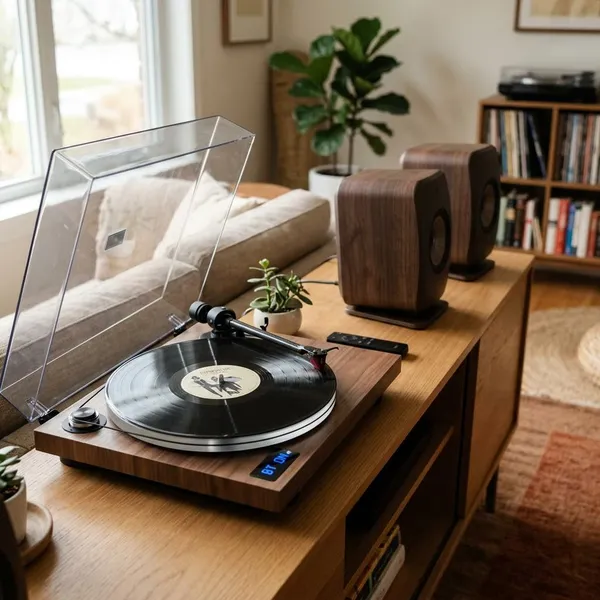
Best vinyl record players with Bluetooth output
The right Bluetooth output turntable depends less on the word "Bluetooth" and more on what kind of listener you are. A casual bedroom setup, a growing record collection, and a sound-focused living room system all point to different choices.
| Model | Best fit | Main thing to know |
|---|---|---|
| Sony PS-LX310BT | Easy automatic listening | Low-stress setup with simple Bluetooth pairing |
| Audio-Technica AT-LP120XBT-USB | More control | Better for users who may upgrade or digitize records |
| Pro-Ject T1 EVO BT | Sound-focused listening | More serious build quality, less casual convenience |
| Victrola Journey+ | Simple all-in-one use | Budget-friendly, but confirm true Bluetooth output before buying |
How to choose a Bluetooth output turntable
Start with the connection type, then think about controls, wired backup, and replaceable parts. Those four checks matter more than glossy product photos or a long feature list.
Check for true Bluetooth transmission
This is the non-negotiable check. A turntable must support Bluetooth output, Bluetooth transmit, or pairing with Bluetooth speakers/headphones if you want to hear records wirelessly.
If a listing only says "Bluetooth," do not assume it does what you need. Many budget players use Bluetooth input, meaning the turntable plays music from your phone through its own speakers. That will not send vinyl audio to your headphones.
Choose automatic or manual controls
Automatic controls are better for low-effort listening: press a button, play a side, and let the tonearm return on its own. That suits a family living room, a casual evening setup, or anyone who does not want to handle the arm every time.
Manual controls are better if you like the hands-on side of vinyl. They usually make more sense when you care about setup, cartridge changes, and getting more performance from the turntable over time.
Keep RCA output for wired listening
RCA output is worth having even if you plan to use Bluetooth most of the time. It gives you a backup when pairing fails, and it lets you connect powered speakers, an amplifier, or a receiver later.
Look for an upgradeable stylus or cartridge
A replaceable stylus matters because styluses wear with use. If the stylus is easy to replace, it is simpler to keep playback clean and reduce avoidable record wear.
- Occasional use: a basic replaceable stylus may be enough.
- Regular listening: look for a standard cartridge mount and adjustable tracking force.
- Long-term collecting: avoid sealed designs that give you no real upgrade path.
How to connect a record player to Bluetooth
Most Bluetooth output turntables pair in the same basic order: put the receiving device in pairing mode, activate Bluetooth output on the turntable, wait for confirmation, then test a record. Keep the devices close together for the first connection so they do not grab the wrong nearby Bluetooth device.
Put your speaker or headphones in pairing mode
Turn on the Bluetooth speaker, soundbar, or headphones and start pairing mode. Usually that means holding a Bluetooth or power button until a light flashes, a tone plays, or a voice prompt says it is ready to pair.
If the speaker has recently connected to your phone, disconnect it first. Old saved connections are one of the most common reasons a turntable seems like it will not pair.
Turn on the turntable's Bluetooth output
Activate the turntable's Bluetooth transmit function. Some models use a dedicated pairing button; others start searching when Bluetooth mode is selected.
If the turntable never appears to search for a receiving device, pause before troubleshooting cables or speakers. That may mean the model has Bluetooth input only, not output.
Wait for the devices to pair
Give the devices a short window to find each other. A solid light, chime, or voice prompt usually confirms the connection.
- If pairing fails: restart both devices and try again close together.
- If the wrong device connects: turn off nearby Bluetooth headphones, phones, or speakers.
- If it worked once but not again: clear old pairings on the receiving device.
Play a record and check the sound
Start with a moderate volume and listen for stable playback, normal loudness, and obvious dropouts. If the sound is very quiet, check whether the turntable's built-in preamp needs to be switched on or whether the receiving speaker volume is low.
A slight delay can happen with Bluetooth, but for music-only listening it usually is not a big problem. If timing, stability, or sound quality bothers you, try the RCA output before assuming the turntable itself is faulty.
Conclusion
The best choice is the one that fits your real listening habits: Sony for simple automatic use, Audio-Technica for control and flexibility, Pro-Ject for better sound, and Victrola for casual all-in-one convenience if the exact model supports Bluetooth output. Check transmission first, keep RCA as a backup, and avoid buying a player that leaves no path for stylus replacement or better wired sound later.
FAQ
Can a Bluetooth turntable connect to a soundbar?
Yes, if the turntable transmits Bluetooth audio and the soundbar can receive Bluetooth audio. Some soundbars add processing delay, so they are usually fine for music but not always ideal if you are trying to sync sound with video.
Can a Bluetooth turntable connect to passive speakers?
Not directly. Passive speakers need an amplifier, so you would need either a wired amp/receiver setup or a Bluetooth-enabled amplifier that can receive the turntable's signal.
Does Bluetooth cause audio delay when playing vinyl?
Sometimes, yes. The delay is usually acceptable for listening to records, but wired RCA is still the better choice if you want the most immediate and reliable playback.