Which Minecraft Version and Mode Should You Choose?
Minecraft is easiest to understand as a block world where you choose the goal: build freely, survive the night, explore, or play with friends. If you are new to the minecraft game video game, the main decision is simple: start in Creative if you want no pressure, or start in Survival if you want the classic challenge.
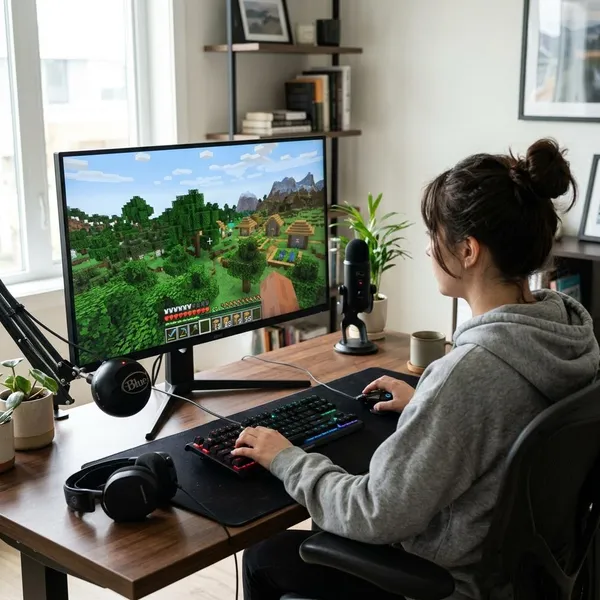
What is Minecraft?
Minecraft is a sandbox video game from Mojang Studios where the world is made of blocks you can break, collect, place, and reshape. It does not push every player through the same story path. The fun comes from choosing your own goals and learning how the world reacts to what you do.
A block-based sandbox game
The block style is not just visual. Trees become wood, stone becomes tools, dirt can become a quick wall, and almost every place you see can be changed. This makes Minecraft approachable because the world behaves like a giant construction set, even when the survival systems get deeper later.
An open world with no fixed path
A new world gives you freedom immediately. You can stay near spawn, follow the coastline, climb a mountain, dig underground, or search for a village.
For a beginner, that freedom can feel confusing at first. A useful way to start is to set one small goal instead of trying to "beat" the game: build a safe shelter, make better tools, find food, or create a small farm. Small goals make the open world feel manageable.
A game built around creativity and survival
Minecraft works because it balances two very different moods. Creative players can design houses, castles, pixel art, farms, or full towns without worrying about danger. Survival players have to think about food, light, health, tools, and hostile mobs.
How does Minecraft gameplay work?
The basic gameplay loop is gather, craft, build, and explore. Wood leads to tools, tools help you collect stronger materials, stronger materials make shelter and exploration safer, and each trip usually gives you a new idea for what to do next.
Gather resources
Start with wood. It is the first practical material because it turns into planks, sticks, a crafting table, and basic tools. After that, look for stone, coal or another light source, and easy food nearby.
Craft tools and items
Crafting turns raw materials into useful items. Logs become planks, planks help make a crafting table, and a crafting table opens up more recipes. A wooden pickaxe is only a stepping stone; use it to get stone, then upgrade quickly.
- Crafting table: the first item that makes real progress possible.
- Pickaxe: needed for stone and many ores.
- Axe: speeds up wood gathering.
- Torches: make caves, shelters, and paths safer.
Build shelters and structures
Your first shelter only needs to be safe, not pretty. A small wooden hut, a dirt box, or a room dug into a hill can work if it has walls, a roof, and a blocked entrance.
Later, building becomes part of how you organize the game. A simple base with storage, a crafting area, a bed, and a clear path outside is much easier to use than a large decorative build with no plan.
Explore and survive
Exploration is where Minecraft starts to feel bigger: caves, villages, forests, oceans, mountains, and unusual terrain can all change your plans. Before leaving your base, bring food, tools, and a way to mark or remember your route.
If you are playing casually with a child or a first-time player, keep early exploration short. If you are playing a longer Survival session, prepare more carefully before entering caves, crossing oceans, or traveling far from your shelter.
What game modes can you play?
Minecraft modes change the whole feel of the game. The best mode depends less on skill and more on what kind of session you want: relaxed building, classic survival, a custom map, or simple observation.
Survival mode
Pick Survival if you want Minecraft to give you pressure and progression. You gather every material yourself, manage health and hunger, build protection, and deal with hostile mobs in dark or dangerous areas.
This mode is best when you want the game to create stories naturally. A bad first night, a lucky village discovery, or a risky cave trip can become the reason you remember that world.
Creative mode
Creative is the calmer choice. You get access to blocks and items without gathering them first, and you can focus on building, testing, and learning how the world works.
It is especially good for younger players, nervous beginners, or anyone who wants to design a house before worrying about monsters. It is also useful as a practice space before starting a serious Survival world.
Adventure mode
Adventure mode makes more sense for custom maps than for a normal first world. Map creators can limit block breaking and placement so players follow puzzles, challenges, or story areas as intended.
If you download or join a custom map, use the mode the creator recommends. For regular open-world play, Survival or Creative will usually feel more natural.
Spectator mode
Spectator is for looking, not playing in the usual way. You can move through the world and observe terrain, builds, or other players without changing anything.
Where can you play Minecraft?
Minecraft is available on computers, consoles, and mobile devices, but the best choice depends on how you plan to play. Before buying, check three things first: your device, who you want to play with, and whether you care about mods or easy cross-platform play.
Windows, Mac, and Linux
PC is the strongest option if you want keyboard-and-mouse control, longer building sessions, custom servers, or modding. Java Edition works on Windows, Mac, and Linux, while Windows players may also have access to Bedrock depending on the current offering.
If you are buying for someone who may later want mods, community maps, or more control over settings, a computer is usually the safer long-term choice.
PlayStation, Xbox, and Nintendo consoles
Consoles are usually the easiest home setup. If a PlayStation, Xbox, or Nintendo Switch is already connected in the living room, Minecraft can be a low-friction way for a family or casual player to start.
The trade-off is flexibility. Console play is comfortable and accessible, but it is not the best route for heavy modding or advanced community customization. For shared couch play and standard worlds, though, it is often the most practical option.
Android and iOS devices
Mobile Minecraft is useful for short sessions, travel, or players who already prefer phones and tablets. It can be a good entry point for younger users because the device is familiar and the game is easy to open quickly.
The main downside is control precision. Touch controls can make combat, fast building, and detailed block placement harder than on a controller or mouse. If the player expects long building sessions, a console or computer may feel more comfortable.
How do beginners start Minecraft?
A beginner should not try to learn every system at once. The cleanest first plan is: choose a mode, learn movement, collect wood, make tools, and get safe before night if playing Survival.
Choose Survival or Creative
Choose Survival when the player wants challenge, progress, and a reason to gather resources. Choose Creative when the player wants to build freely or learn controls without pressure.
For a parent setting up Minecraft for a younger child, Creative is often the smoother first session. For a teen or adult who likes exploration games, Survival may be more satisfying because the goals feel earned.
Learn basic movement and crafting
Spend a few minutes on the basics before worrying about advanced recipes: move, jump, look around, break blocks, place blocks, open the inventory, and use a crafting table. Those simple actions decide whether the first night feels fun or chaotic.
Gather wood and make tools
Wood should be your first target in a new Survival world. Turn logs into planks, make a crafting table, craft sticks, then make basic tools. Once you have a wooden pickaxe, mine stone and upgrade instead of staying with wooden tools too long.
- First minute: collect logs from nearby trees.
- Next step: make a crafting table and basic tools.
- Before exploring: get stone tools if possible.
- While moving: pick up easy food when you see it.
Build a shelter before night
In Survival, build something safe before it gets dark. It can be small and ugly. The only real requirements are that enemies cannot walk in, you can place your crafting table inside, and you can wait or work safely until morning.
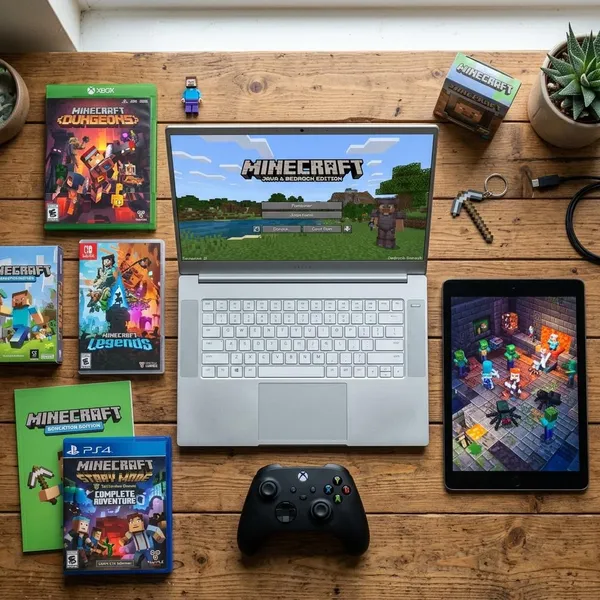
What other Minecraft games are there?
The main Minecraft game is still the one to choose for open-ended building and survival. The other Minecraft titles are better understood as spin-offs with different goals: action, strategy, or education.
Minecraft Dungeons
Minecraft Dungeons is an action-adventure dungeon crawler. Instead of mining and building, you move through levels, fight enemies, collect loot, and improve gear.
It is a better fit for players who want clear objectives and faster action. If the open-ended sandbox feels too vague, Dungeons can feel easier to understand from the first session.
Minecraft Legends
Minecraft Legends is an action-strategy game about defending the Overworld and directing forces in larger battles. It uses Minecraft's style, but the thinking is more tactical than hands-on building.
Choose it for someone who enjoys strategy and coordination. Do not choose it as a substitute for normal Minecraft if the player mainly wants to mine, craft, and build freely.
Minecraft Education
Minecraft Education is designed for schools, lessons, and structured group activities. It uses the Minecraft world for learning tasks, collaboration, and classroom projects rather than ordinary home sandbox play.
For parents, the key distinction is simple: Minecraft Education is not automatically the best version for casual play at home. It makes the most sense when a school, teacher, or learning program is actually using its education features.
Conclusion
Minecraft is worth starting if you like games that let you choose your own pace, but the first choice matters: Creative for relaxed building, Survival for the classic adventure, PC for flexibility, and console or mobile for easy access. Begin with small goals instead of trying to understand everything at once, and the game becomes much less overwhelming.
FAQ
What is the point of Minecraft?
The point is to set your own goals in a block-based world. For one player that may be building a town; for another it may be surviving, exploring caves, farming, or playing with friends.
Is Minecraft free to play?
No, the full game is usually paid. Some platforms may offer trials, subscriptions, or bundled access, so check the store page for the device you plan to use.
Can Minecraft be played offline?
Yes, single-player worlds can often be played offline after setup. Online multiplayer, account features, marketplace content, and some downloads may still need an internet connection.